

When you use external keyboard like Logitech MX KEYS some of the keys position may be wrong after some usage. You need to redifine layout to Mac again.
There is only 2 way to do it:
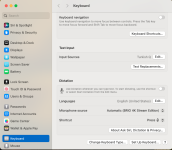
Option 1: Re adjust your Keyboard as below:

If you do not see this button go with Option 2:
Option 2:
Open Terminal:
Paste the code below:

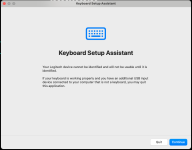
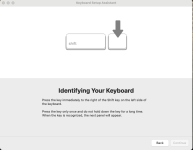
Then you will be able to redefine your Keyboard layout as below: Just press the button right side of your left Shif Key.

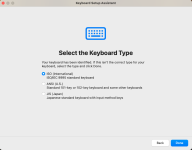
Then Mac will detect your keyboard Type as below:

There is only 2 way to do it:
We suggest Option 2:
Option 1: Re adjust your Keyboard as below:
Choose the Change Keyboard Type As below and finish remaining process.Go to MacApple Icon > System Settings > Keyboard
If you do not see this button go with Option 2:
Option 2:
Open Terminal:
Paste the code below:
Restart your Macsudo rm -rf /Library/Preferences/com.apple.keyboardtype.plist
Then you will be able to redefine your Keyboard layout as below: Just press the button right side of your left Shif Key.
Then Mac will detect your keyboard Type as below:
Attachments
Last edited:


